

HUNTER APP
Book hunts, check in on stand, file your hunt and harvest reports, log stands and cameras, and track after dark, all from your phone.
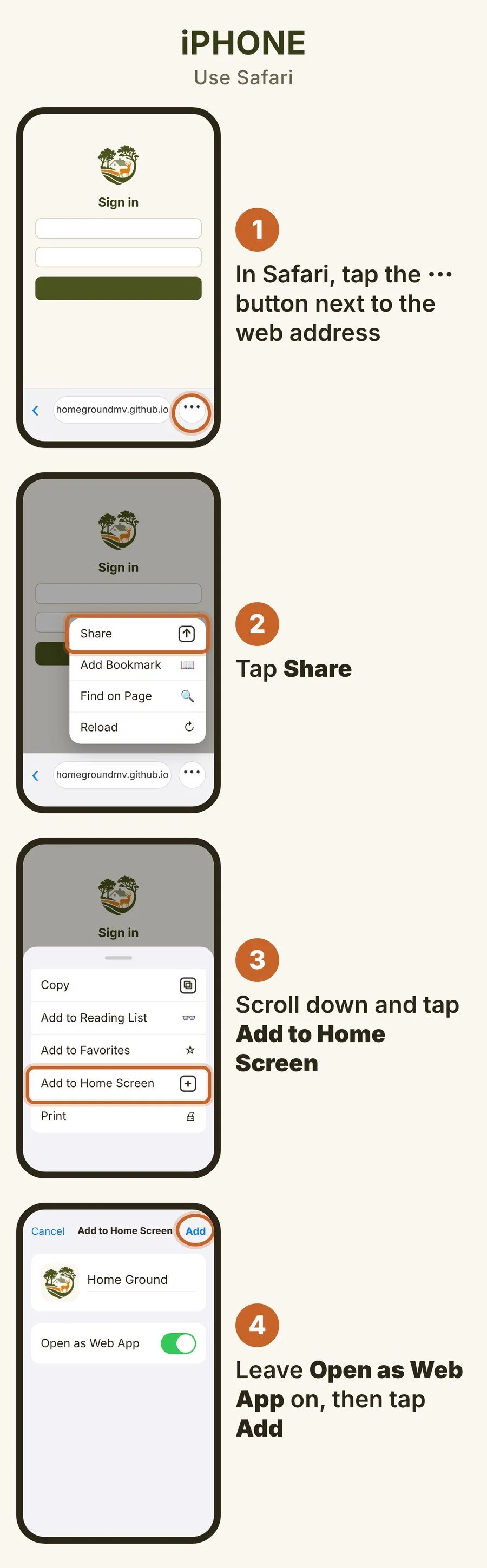
Add it to your home screen once and it opens like any other app. It takes about a minute. No phone handy? The same link works on any phone or computer.
Start here: on your phone, open https://homegroundmv.github.io/app/
You’ll sign in with the hunter number and PIN from your Home Ground email.
Stuck? Email office@homegroundmv.com or call 508-208-4871 and we’ll walk you through it.
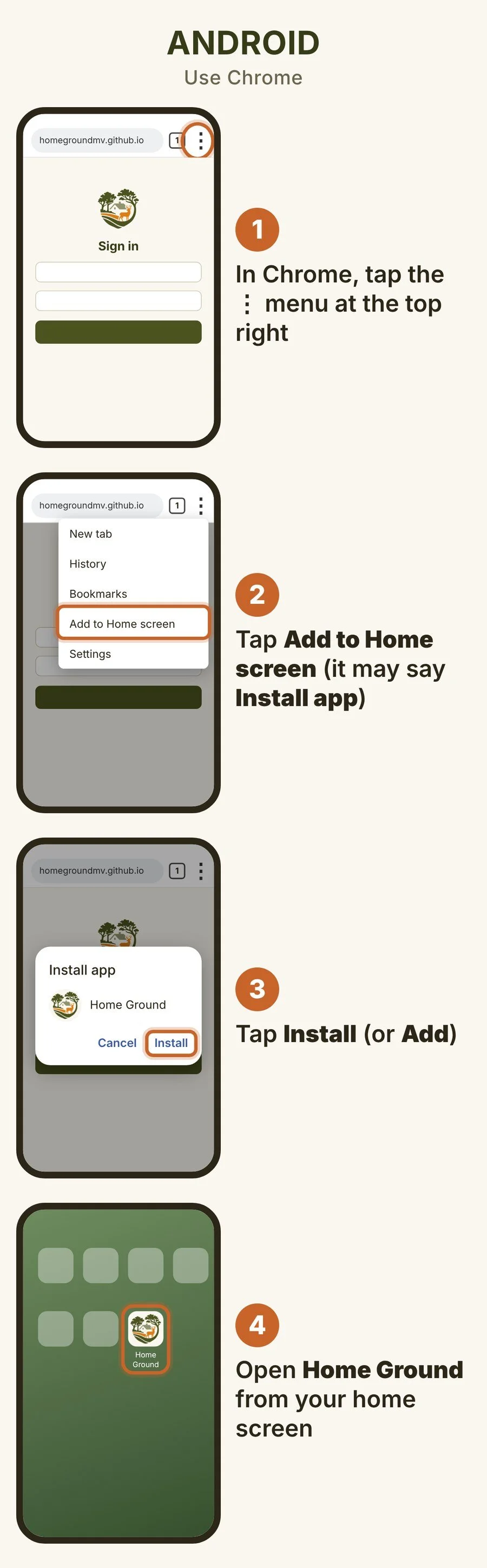
Then sign in: open Home Ground from your home screen and enter your hunter number and PIN. You only do this once. Turn on notifications when the app offers, so you hear about booking confirmations and messages right away.
On an iPhone, notifications only work when you open the app from its home screen icon.
Older iPhone? If there’s no ··· button, tap the Share button (a square with an arrow pointing up) at the bottom of Safari, then go to step 3.
App won’t load at all? Call 508-208-4871. If you’re tracking a deer after dark, use the Tracking After Dark page in the Hunter Portal as a backup.